

Yealink YHC20-MS-SE | YHC20 Headset Controller for Microsoft Teams, USB-A, Teams Button
Yealink YHC20-MS-SE | YHC20 Headset Controller for Microsoft Teams, USB-A, Teams Button
Authorised Yealink Partner
SKU:YHC20-MS-SE
In stock:9
Description
Description
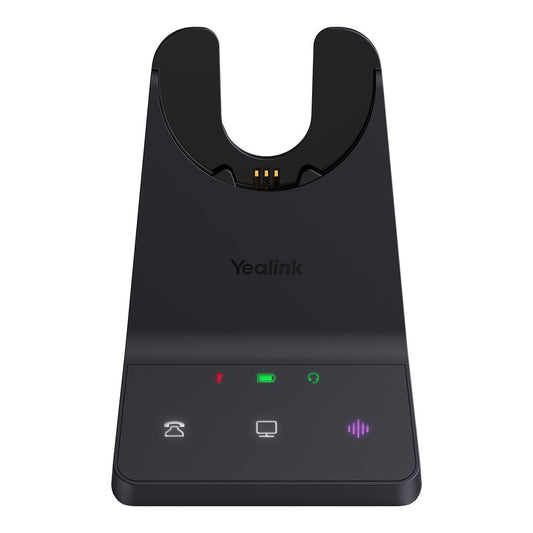
The Yealink YHC20-MS-SE is a USB-A in-line headset controller with a dedicated Microsoft Teams button, designed for use with the Yealink UH34 SE Teams headset. A 3.5mm minijack connects the headset to the controller, which plugs into a PC via USB-A.
The controller puts call handling at your fingertips with answer/end, mute and volume up/down buttons, so users can manage Microsoft Teams calls without reaching for the keyboard. It is a practical accessory for Teams-based offices, contact centres and hybrid workspaces.
Features
Features
Warranty
Warranty
All technical data should be verified on the manufacturer data sheets.
View full details
What's the difference between add to cart, backorder & request a quote?
Add to Cart lets you purchase in-stock products immediately.
Backorder is available for items that are out of stock. Placing a backorder secures your order; contact us to confirm ETA before ordering if you need it urgently.
Request a Quote is for customised pricing, volume-based deals, or orders that need a tailored response.
specs-tabs
Collapsible content
Technical Specifications
FAQs
Technical Specifications
FAQs
Related Products
-
 Vendor:Yealink
Yealink LEC-WH62/WH66-1ps | Leather Ear Cushion for WH62/WH66, 1 Piece, Flat
LEC-WH62/WH66-1PS
Stock Status: Enquire
Vendor:YealinkThis replacement flat leather ear cushion suits the Yealink WH62 and WH66 wireless DECT headsets. It... -

 Vendor:Yealink
Yealink WHB640-UC | WH64 UC DECT Base Station, Mono/Dual Replacement
WHB640-UC
In stock
Vendor:YealinkThe Yealink WHB640-UC is a replacement DECT base station for the Yealink WH64 hybrid DECT/Bluetooth ... -
 Vendor:Jabra
Jabra 14121-27 | PRO 900 Replacement Headband for Mono Headset, 1 pc
14121-27
Stock Status: Enquire
Vendor:JabraThe Jabra 14121-27 is a replacement over-the-head headband for Jabra PRO 900 series wireless mono he... -
 Vendor:PolyReplacement foam ear cushions for Poly Blackwire C310 and C320 corded USB headsets, supplied as a se...
-
 Vendor:HP
HP D1VY6AA | Mission 4/6 Stereo Headset Headband Pad, 1 Piece
D1VY6AA
Stock Status: Enquire
Vendor:HPThis replacement stereo headband pad is designed for Poly Mission 4 and Mission 6 stereo headsets an... -
 Vendor:HP
HP D1WA1AA | Mission 8 Stereo Headset Headband Pad, 1 Piece
D1WA1AA
Stock Status: Enquire
Vendor:HPThe Poly Mission 8 Stereo headband pad is a replacement headset accessory supplied as a single piece... -
 Vendor:Jabra
Jabra 14123-01 | Evolve3 85 Headband Padding, Black, 1 Piece Replacement
14123-01
Stock Status: Enquire
Vendor:JabraReplacement black headband padding for the Jabra Evolve3 85 headset, supplied as a single piece. Thi... -
 Vendor:Jabra
Jabra 14301-60 | Evolve3 45/65 Headset Carry Pouch, 10 Pouches
14301-60
Stock Status: Enquire
Vendor:JabraThe Jabra Evolve3 45/65 Pouch is a headset carry pouch supplied as a pack of 10 pouches, designed fo...


Recently Viewed
-

Request for a Quote
Looking for competitive pricing? Submit a request, and our team will provide a tailored quote that fits your needs.

