

Yealink WPP30 | Wireless Presentation Pod, 4K UHD, Wi-Fi 6, USB-C
Yealink WPP30 | Wireless Presentation Pod, 4K UHD, Wi-Fi 6, USB-C
Authorised Yealink Partner
SKU:WPP30
In stock:476
Description
Description
The Yealink WPP30 Wireless Presentation Pod is a plug-and-play 4K UHD wireless presentation pod that streams a laptop or phone screen to a meeting-room display at up to 4K/30fps. It plugs into a USB-C or USB-A port, uses hardware encoding so there is no CPU load, and builds its own Wi-Fi 6 network, which means no software, driver or router configuration is needed. A single START/STOP button starts and ends a presentation.
Up to four devices can present on the main screen at the same time, with annotation, a virtual whiteboard and reverse control on touchscreen displays. Dual-band 2x2 MIMO Wi-Fi 6 keeps latency low, and WPA-PSK/WPA2-PSK encryption protects the session. The pod suits BYOD and BYOM meeting rooms and pairs with Yealink room systems for Microsoft Teams or Zoom rooms. It supports Windows 7/8/10/11 and macOS 10.10 or later.
Features
Features
Warranty
Warranty
All technical data should be verified on the manufacturer data sheets.
View full details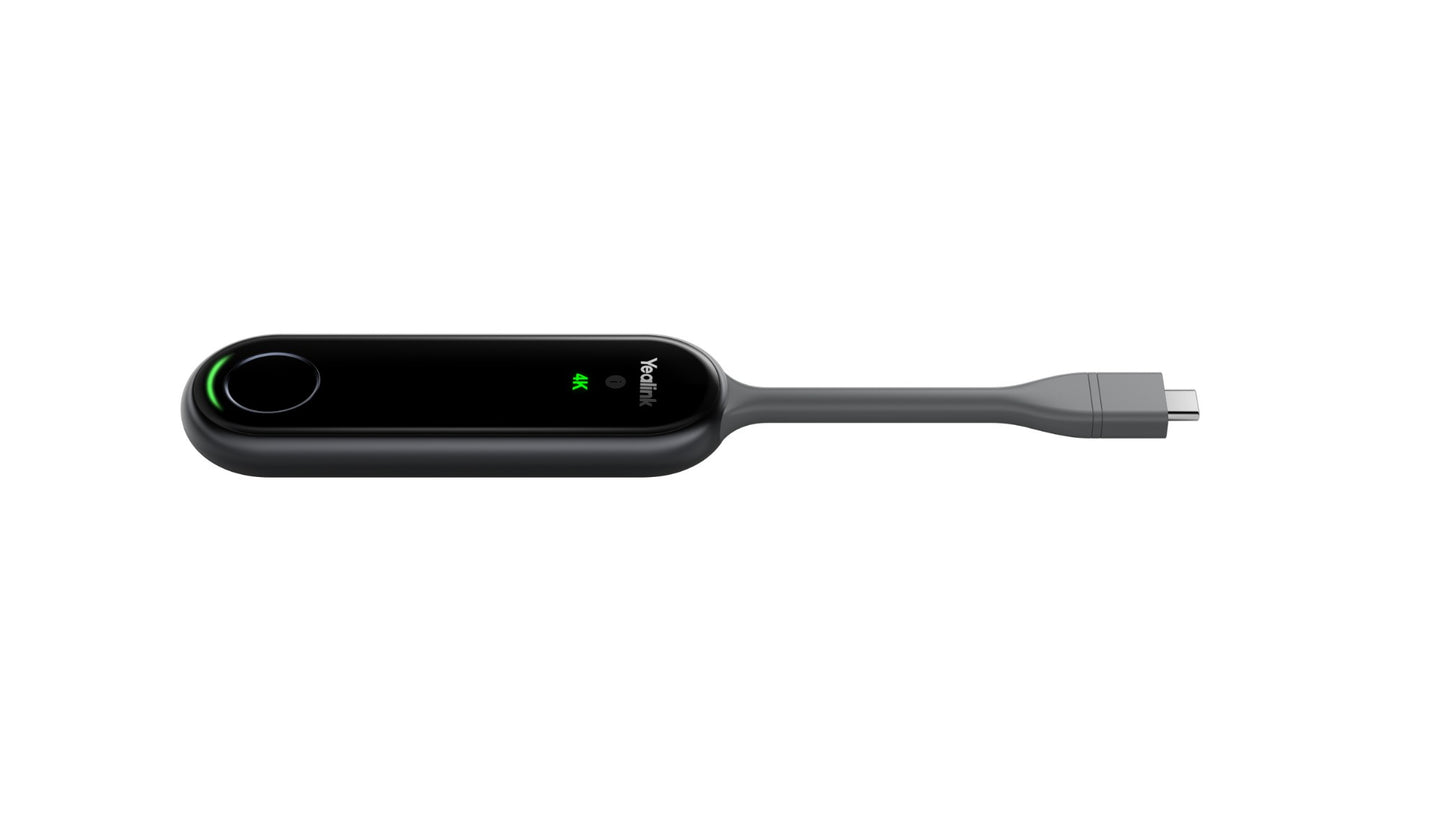
What's the difference between add to cart, backorder & request a quote?
Add to Cart lets you purchase in-stock products immediately.
Backorder is available for items that are out of stock. Placing a backorder secures your order; contact us to confirm ETA before ordering if you need it urgently.
Request a Quote is for customised pricing, volume-based deals, or orders that need a tailored response.
specs-tabs
Collapsible content
Technical Specifications
FAQs
Datasheet
Technical Specifications
FAQs
Datasheet
This product has a detailed PDF datasheet available. Open PDF datasheet in a new tab .
Related Products
-
 Vendor:Logitech
Logitech 952-000181 | Rally Mic Pod CAT Coupler, CAT6a, up to 20m
952-000181
In stock
Vendor:LogitechThe Logitech Rally Mic Pod CAT Coupler lets you extend the cable run of Rally Mic Pods and Mic Pod H... -

 Vendor:Yealink
Yealink PSU-48V/2A-AC(1.8M)/DC6.5(2M) | 48V 2A Power Adapter for A40 and A50, 1.8m AC, 2m DC
PSU-48V/2A-AC(1.8M)/DC6.5(2M)
In stock
Vendor:YealinkThis 48V 2A power adapter is the replacement or spare AC/DC power supply for the Yealink A40 and A50... -
 Vendor:Yealink
Yealink RoomPanel Mount Kits | RoomPanel Mount Kit, 0°, 20° and Mullion Brackets
RoomPanel Mount Kits
In stock
Vendor:YealinkThe Yealink RoomPanel Mount Kit is an optional wall and door-frame mounting set for the RoomPanel ro... -
 Vendor:Yealink
Yealink VCH51 PACKAGE | VCH51 Sharing Box, BYOD, 0.6m HDMI and USB-C Cables
VCH51 PACKAGE
Stock Status: Enquire
Vendor:YealinkThe Yealink VCH51 BYOD content sharing box lets users present PC content to a compatible Yealink vid... -
 Vendor:PolyThe Poly Focus 625 Fold Hard Case is a hard-shell carry case designed specifically for the HP Poly F...
-

 Vendor:Yealink
Yealink VCM35-P | VCM35 Pro Wired Microphone Array, 6+1 Mic, 3m Pickup
VCM35-P
Stock Status: Enquire
Vendor:YealinkThe Yealink VCM35 Pro is a wired video conferencing microphone array with a built-in 6+1 microphone ... -
 Vendor:Logitech
Logitech 952-000316 | Rally TV Mount 2 for Rally Bar 2, 55-85in Displays
952-000316
Stock Status: Enquire
Vendor:LogitechThe Logitech Rally TV Mount 2 is a display-mounted bracket that lets you install the Rally Bar 2, Ra... -
 Vendor:Logitech
Logitech 952-000310 | Rally AI Camera In-Wall Recess Mount, Off White
952-000310
Stock Status: Enquire
Vendor:LogitechThe Logitech Rally AI Camera Recess Mount is an in-wall camera mount in Off White, designed specific...


Recently Viewed
-

Request for a Quote
Looking for competitive pricing? Submit a request, and our team will provide a tailored quote that fits your needs.

