
Skip to product information
1 of 1

HP

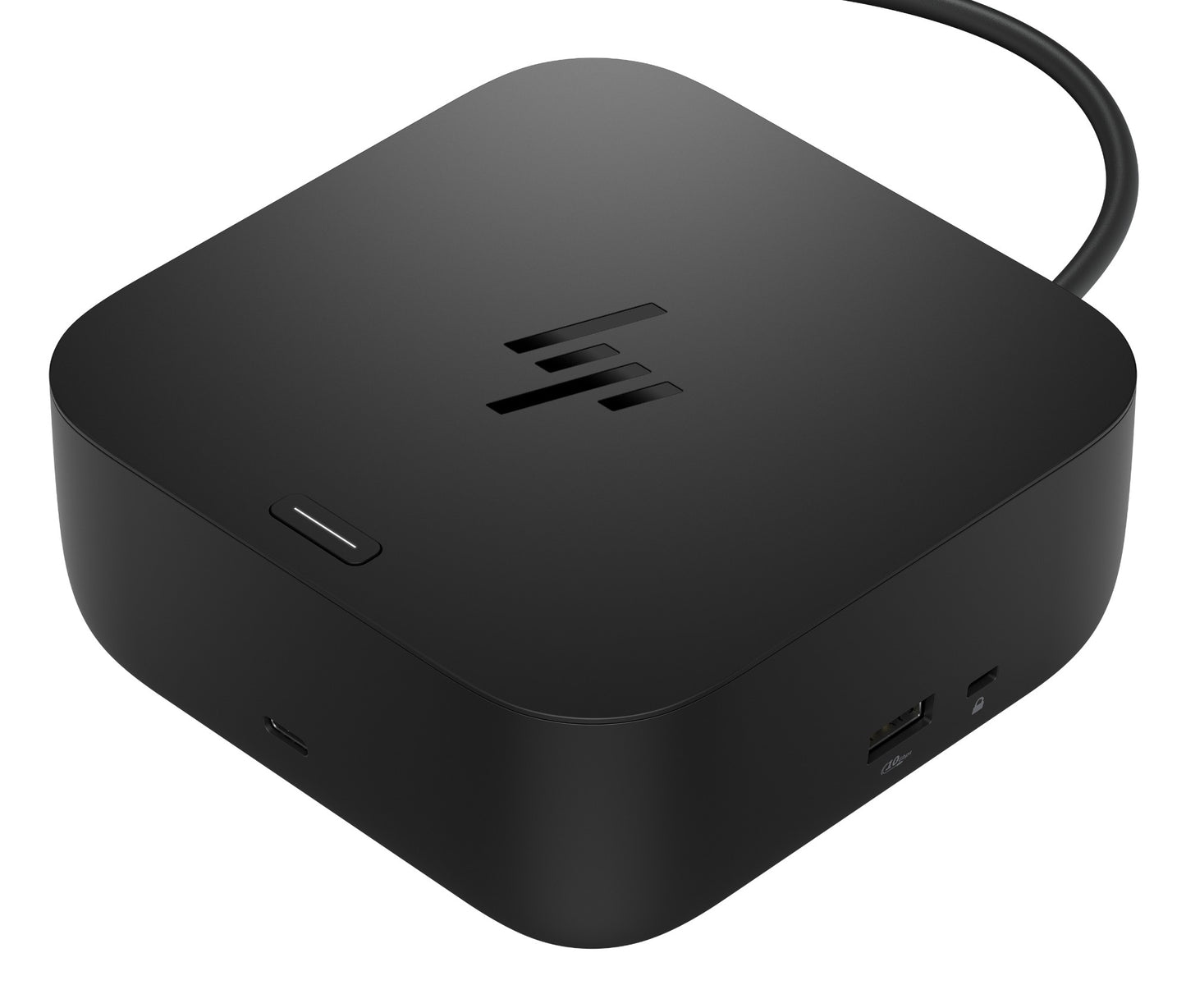
HP BS7S5AA | USB-C 100W G6 Docking Station, 3-Display, 2.5GbE, HDMI, 2x DP

HP BS7S5AA | USB-C 100W G6 Docking Station, 3-Display, 2.5GbE, HDMI, 2x DP

SKU:BS7S5AA

Stock Status: Enquire

Regular price $394.78 AUD
Regular price
$394.78 AUD
$394.78 AUD
Regular price
Sale Stock Status: Enquire
Taxes included. Shipping calculated at checkout.

Description

The HP USB-C 100W G6 Docking Station transforms any USB-C or Thunderbolt laptop into a full desktop workstation with a single cable connection delivering up to 100W of power delivery. Supporting up to three simultaneous 4K external displays via HDMI 2.1 and two DisplayPort 1.4 outputs, alongside 2.5GbE wired networking and a rear-facing host cable for a cleaner desk setup, it is purpose-built for demanding enterprise and hybrid-work environments across HP, Dell, Lenovo, Apple, and other USB-C compatible devices.

Beyond display expansion, the G6 Dock integrates HP Sure Start firmware integrity verification, HP Wolf Security for Business support, Wake-on-LAN, and MAC Address Pass-Through — features that matter to IT teams managing secure, policy-driven deployments. A compact 12.1 x 12.1 cm footprint, RGB LED status indicators, OSD notifications, and myHP application integration round out the experience. Compatible with Windows 10/11, ChromeOS, Ubuntu Linux, ThinPro OS, and macOS Sonoma. Visit iptrading.com.au to secure your order — enterprise-grade hardware with expert support.

Features

- Single USB-C cable delivers up to 100W power to the host laptop — no separate charger needed
- Supports up to 3 simultaneous external displays at 4K resolution
- Broad cross-brand compatibility: HP, Dell, Lenovo, Apple, and any USB-C/Thunderbolt laptop
- HP Sure Start firmware integrity verification and recovery at dock start-up and disconnect
- HP Wolf Security for Business support for enterprise security policy compliance
- Wake-on-LAN from warm/cold dock and S4/S5 power states (HP notebooks)
- MAC Address Pass-Through for consistent network identity in managed environments
- HP Quick Connect support for select HP G11/G12 Intel and AMD PCs
- RGB LED status indicators (front bar and power button) plus on-screen display (OSD) notifications
- Rear-facing USB-C host cable minimises desk cable clutter
- myHP application integration for dock and device settings management
- Compatible with Nano Combination Cable Lock (63B28AA, 63B31AA)
- 3-year limited warranty with technical support, diagnostics, and hardware replacement

Warranty

HP offers a limited hardware warranty on its products, with coverage periods varying by product line. For example, many HP laptops and desktops come with a 1-year warranty, while certain business-class devices may offer longer durations.
Extended Warranty Options via IP Trading:
IP Trading offers tailored extended warranty solutions and support packages for HP products, ensuring your IT infrastructure remains protected beyond the standard warranty period. Contact our team to explore options that align with your organisation's needs.

All technical data should be verified on the manufacturer data sheets.

View full details
specs-tabs

Collapsible content

Technical Specifications

FAQs

Technical Specifications

- Host Connection: USB-C rear-facing cable, up to 100W Power Delivery
- Video Outputs: 1x HDMI 2.1, 2x DisplayPort 1.4
- Max External Displays: 3 simultaneous
- Max Resolution: 4K (3840 x 2160) @ 120Hz (with DSC)
- USB-A Ports: 3x USB-A 5Gbps (2 with charging)
- USB-C Port: 1x USB-C 10Gbps (data + 15W Power Delivery)
- Network: 1x RJ-45 (2.5 GbE)
- Wireless: Realtek RTL8721DM 802.11a/b/g/n + Bluetooth
- Included Power Adapter: 120W
- Dimensions (W x D x H): 12.1 x 12.1 x 5.1 cm
- Weight: 680 g
- OS Support: Windows 10/11, ChromeOS M133+, Ubuntu Linux 22.04 LTS, ThinPro OS 8.0, macOS Sonoma 14

FAQs

Q: How much power does the HP USB-C 100W G6 Dock deliver to a laptop?
A: The dock delivers up to 100W of Power Delivery via its single USB-C host cable, which is sufficient to charge most business laptops — including high-performance HP Elite and ZBook models — while simultaneously running connected peripherals and displays.

Q: How many external displays can I connect to the G6 Dock?
A: The dock supports up to three simultaneous external displays at up to 4K (3840 x 2160) @ 120Hz (with Display Stream Compression enabled), using its HDMI 2.1 and two DisplayPort 1.4 outputs.

Q: Is the HP G6 Dock compatible with non-HP laptops?
A: Yes. The dock works with any USB-C or Thunderbolt laptop that supports DisplayPort Alt Mode and USB Power Delivery, including devices from Dell, Lenovo, Apple (MacBook), and others. Some advanced features such as Wake-on-LAN and HP Quick Connect are exclusive to compatible HP notebooks.

Q: Does the G6 Dock include enterprise security features for IT-managed deployments?
A: Yes. It includes HP Sure Start firmware integrity verification, HP Wolf Security for Business support, Wake-on-LAN (warm/cold, S4/S5 states), and MAC Address Pass-Through — making it suitable for centrally managed enterprise environments where device identity and security policy enforcement are required.

Q: What operating systems does the HP USB-C 100W G6 Dock support?
A: The dock supports Windows 10 and 11, ChromeOS M133 and later, Ubuntu Linux 22.04 LTS, HP ThinPro OS 8.0, and macOS Sonoma 14, providing broad compatibility across enterprise desktop environments.

Q: Can I purchase the HP USB-C 100W G6 Dock (BS7S5AA) in Australia through IP Trading?
A: Yes. IP Trading (iptrading.com.au) is an Australian B2B IT hardware reseller stocking the HP USB-C 100W G6 Dock. Visit the product page to check availability, pricing, and to place your order with expert pre-sales support.

Recently Viewed

  • Request for a Quote

    Looking for competitive pricing? Submit a request, and our team will provide a tailored quote that fits your needs.

  • Contact Us Directly

    Have a question or need immediate assistance? Call us for expert advice and real-time support.

    Call us Now  
  • Contact Us Directly

    Have a question or need immediate assistance? Call us for expert advice and real-time support.

    Contact us