
Skip to product information
1 of 1

Dell

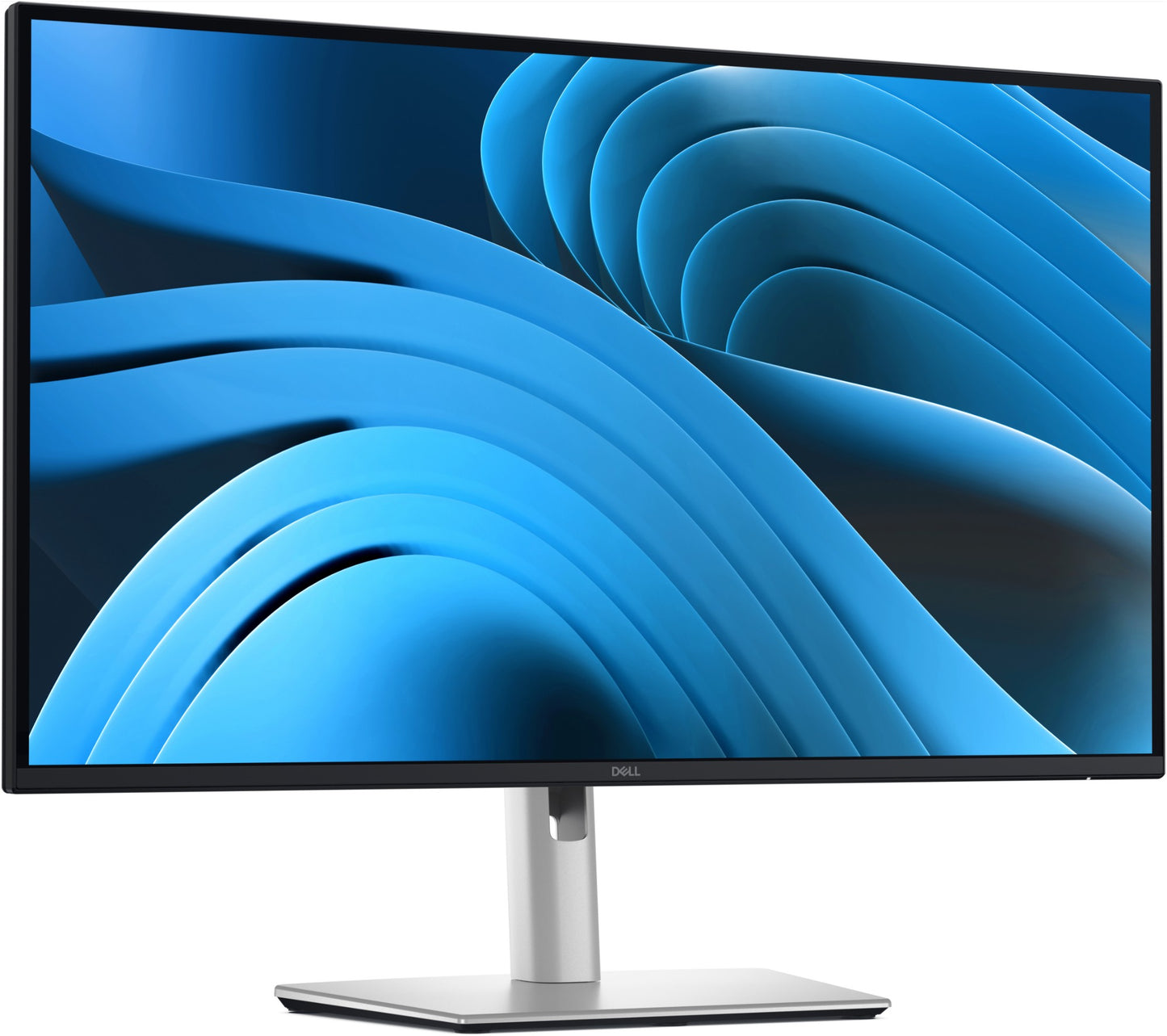
Dell P2725QE | Pro Plus 27" 4K UHD IPS Monitor, USB-C Hub, 90W PD, RJ45

Dell P2725QE | Pro Plus 27" 4K UHD IPS Monitor, USB-C Hub, 90W PD, RJ45

SKU:P2725QE

In stock:253

$719.79 inc. GST
$654.35 ex. GST
Sale Stock Status: Enquire
Taxes included. Shipping calculated at checkout.

Description

The Dell Pro Plus P2725QE is a 27-inch 4K UHD IPS business monitor built for professionals who demand sharp visuals, streamlined connectivity, and all-day ergonomic comfort. With a 3840x2160 resolution at 100Hz, 99% sRGB colour coverage, and a 1500:1 contrast ratio, it delivers accurate, vivid imagery suited to data analysis, content review, and productivity workflows. The integrated USB-C hub enables a true single-cable docking experience — carrying 4K video, data, 90W laptop charging, and wired Ethernet through one connection, eliminating desktop clutter.

The fully ergonomic stand supports tilt, swivel, height adjustment (150mm), and bi-directional pivot, adapting to any workspace. Dell ComfortView Plus with TÜV Rheinland 4-Star Eye Comfort certification and a flicker-free panel reduce eye strain during extended sessions. Additional ports include HDMI 2.1, DisplayPort 1.4, a USB-C downstream port (15W), and three USB-A 3.2 Gen 1 ports. ENERGY STAR certified and EPEAT Gold registered, the P2725QE is backed by Dell's 3-Year Limited Hardware Warranty with Advanced Exchange. Get it now at iptrading.com.au — authentic hardware, reliable service.

Features

- IPS panel delivers accurate colour reproduction and wide 178°/178° viewing angles
- USB-C hub with 90W power delivery — single cable for video, data, Ethernet, and laptop charging
- Built-in RJ45 Ethernet port enables wired network access directly through the monitor
- 4K UHD 100Hz refresh rate for sharp, smooth visuals in demanding workflows
- Dell ComfortView Plus with TÜV Rheinland 4-Star Eye Comfort certification reduces blue light exposure
- Flicker-free panel minimises eye fatigue during extended work sessions
- Anti-glare display coating for comfortable viewing in bright office environments
- Fully ergonomic stand: tilt, swivel (±45°), height adjustment (150mm), and bi-directional pivot
- ENERGY STAR certified and EPEAT Gold registered for sustainability compliance
- Eco-conscious construction: recycled plastics, aluminium, steel, and glass throughout
- FSC-certified sustainable packaging
- Compatible with Dell Display and Peripheral Manager (DDPM) software for easy monitor management
- 3-Year Limited Hardware Warranty with next-business-day Advanced Exchange service

Warranty

Dell hardware typically includes a 1 to 3-year limited hardware warranty, depending on the product model and configuration. Coverage includes repair or replacement for defects in materials and workmanship.

Extended Warranty Options:
Extended warranty and support packages are available through IP Trading. Contact us to customise a solution for your Dell infrastructure.

All technical data should be verified on the manufacturer data sheets.

View full details
specs-tabs

Collapsible content

Technical Specifications

FAQs

Technical Specifications

- Panel: 27" (68.58 cm) IPS, 16:9 aspect ratio
- Resolution: 3840 x 2160 (4K UHD) at 100Hz
- Brightness: 350 nits (typical)
- Contrast Ratio: 1500:1 (static)
- Response Time: 5 ms
- Colour Depth: 10-bit, 1.07 billion colours
- Colour Gamut: 99% sRGB (CIE 1931)
- Pixel Density: 163 PPI
- Viewing Angles: 178° horizontal / 178° vertical
- Connectivity: 1x HDMI 2.1, 1x DisplayPort 1.4
- USB-C Upstream: 1x USB-C 5Gbps, DP 1.4 Alt Mode, 90W Power Delivery
- USB-C Downstream: 1x USB-C with 15W Power Delivery
- USB-A Downstream: 3x USB-A 3.2 Gen 1
- Network: 1x RJ45 Ethernet (LAN) port
- Ergonomic Stand: Tilt -5° to +21°, Swivel ±45°, Height Adjust 150mm, Bi-directional Pivot
- VESA Mount: 100 x 100mm compatible
- Speakers: None
- Weight: Approx. 6.6 kg (with stand)
- In-box: DisplayPort 1.4 cable (1.8m), USB-C to USB-C 10Gbps/100W cable (1.0m), USB-C to USB-A 5Gbps cable (1.8m), Power cable
- Warranty: 3-Year Limited Hardware with Advanced Exchange

FAQs

Q: Can I connect my laptop to the P2725QE with a single cable and charge it at the same time?
A: Yes. The USB-C upstream port supports DisplayPort 1.4 Alt Mode and delivers up to 90W of power delivery, allowing you to connect your laptop with a single USB-C cable for 4K video output, data transfer, Ethernet, and charging simultaneously.

Q: Does the Dell P2725QE have a built-in network port?
A: Yes. The monitor includes a built-in RJ45 Ethernet port. When your laptop is connected via the USB-C hub, it can access wired network connectivity through the monitor — ideal for office environments requiring stable, high-speed LAN connections.

Q: What is the refresh rate, and is it suitable for professional use?
A: The P2725QE supports up to 100Hz at 4K UHD resolution, providing smooth, responsive visuals. Combined with a 5ms response time and IPS panel accuracy, it is well suited for professional productivity, content creation, and data-intensive applications.

Q: Is the P2725QE suitable for all-day office use in terms of eye comfort?
A: Yes. The monitor features Dell ComfortView Plus, a built-in low blue light filter with TÜV Rheinland 4-Star Eye Comfort certification, along with a flicker-free panel and anti-glare coating — all designed to reduce eye strain during extended working hours.

Q: Can I purchase the Dell P2725QE in Australia through IP Trading?
A: Yes. The Dell Pro Plus P2725QE is available from iptrading.com.au, an Australian B2B IT hardware reseller offering authentic Dell products with reliable delivery and service across Australia.

Q: Is the P2725QE VESA mount compatible, and can I use it with an existing monitor arm?
A: Yes. The monitor supports the VESA 100x100mm mounting standard, making it compatible with most third-party monitor arms and wall mounts. The stand can be removed when using a VESA mount.

Recently Viewed

  • Request for a Quote

    Looking for competitive pricing? Submit a request, and our team will provide a tailored quote that fits your needs.

  • Contact Us Directly

    Have a question or need immediate assistance? Call us for expert advice and real-time support.

    Call us Now  
  • Contact Us Directly

    Have a question or need immediate assistance? Call us for expert advice and real-time support.

    Contact us